

Air Conditioner Fan Mode Explained: When and How to Use It
Wondering what fan mode on your aircon actually does? Learn how it works, when to use it, and how much electricity it uses. Australian guide by Frozone Air.


Wondering what fan mode on your aircon actually does? Learn how it works, when to use it, and how much electricity it uses. Australian guide by Frozone Air.

Fan mode on an aircon runs the indoor unit's fan to circulate air around the room without switching on the compressor. That means no active cooling, no active heating and no change to the room's temperature or humidity. It is one of several operating modes you will find on a modern aircon remote, and if you want a full overview of all of them, our air conditioner modes explained guide covers each one in detail. This article focuses specifically on fan mode: how it works, when it is genuinely useful, when you are better off choosing a different mode and how it stacks up against cool mode and dry mode.
Key takeaways
Fan mode works by running the indoor unit's fan motor continuously to draw room air through the unit, pass it across the filter and push it back out into the space. The compressor stays completely off, which means the refrigerant cycle does not run at all. The air coming out of the vents is the same temperature as the air going in. Nothing is being cooled, heated or dehumidified.
This is the key difference from cool mode and heat mode. In cool mode, the compressor runs to push refrigerant through the evaporator coil, which absorbs heat from the room air and lowers its temperature before the fan blows it back out. In heat mode on a reverse cycle unit, the refrigerant cycle runs in reverse to extract heat from outside air and release it into the room. Both of those processes draw significant electricity because the compressor is the most power-hungry component in the system.
Fan mode skips all of that. Because only the fan motor is running, the unit draws a fraction of the electricity it would use in cool or heat mode. A typical split system in cool mode might draw 800W to 2,000W depending on its capacity. The same unit in fan mode will generally draw somewhere between 20W and 60W, roughly comparable to a ceiling fan.
One thing fan mode does not do is dehumidify the air. In cool mode, moisture condenses on the cold evaporator coil and drains away, which is why cool mode also reduces humidity as a side effect. In fan mode, the coil is not cold, so no condensation occurs and the room's humidity level stays the same.
Most units offer several fan speed settings within fan mode: auto, low, medium and high. Auto lets the unit choose the speed based on its own sensors, while the manual settings give you direct control over airflow. A higher fan speed moves more air but produces more noise. Low speed is quieter and often enough for overnight use when you just want gentle air movement.
These three modes are often confused because they all involve the fan running. The table below shows how they actually differ.
| Mode | Compressor | Effect on Temperature | Effect on Humidity | Typical Use Case |
|---|---|---|---|---|
| Fan | Off | No change | No change | Air circulation on mild days, overnight ventilation |
| Cool | On continuously | Lowers temperature | Reduces humidity as a side effect | Hot days when you need active cooling |
| Dry | On intermittently at low capacity | Slight reduction | Actively reduces humidity | Humid but not hot days, sticky conditions |
Dry mode is the one most commonly mixed up with fan mode because both are used on days that are not scorching hot. The difference is that dry mode runs the compressor in short cycles to cool the evaporator coil just enough to condense moisture out of the air, making it the right choice when the air feels muggy rather than hot. For a deeper look at how dry mode works and when to reach for it, see our article on what dry mode does on an air conditioner.
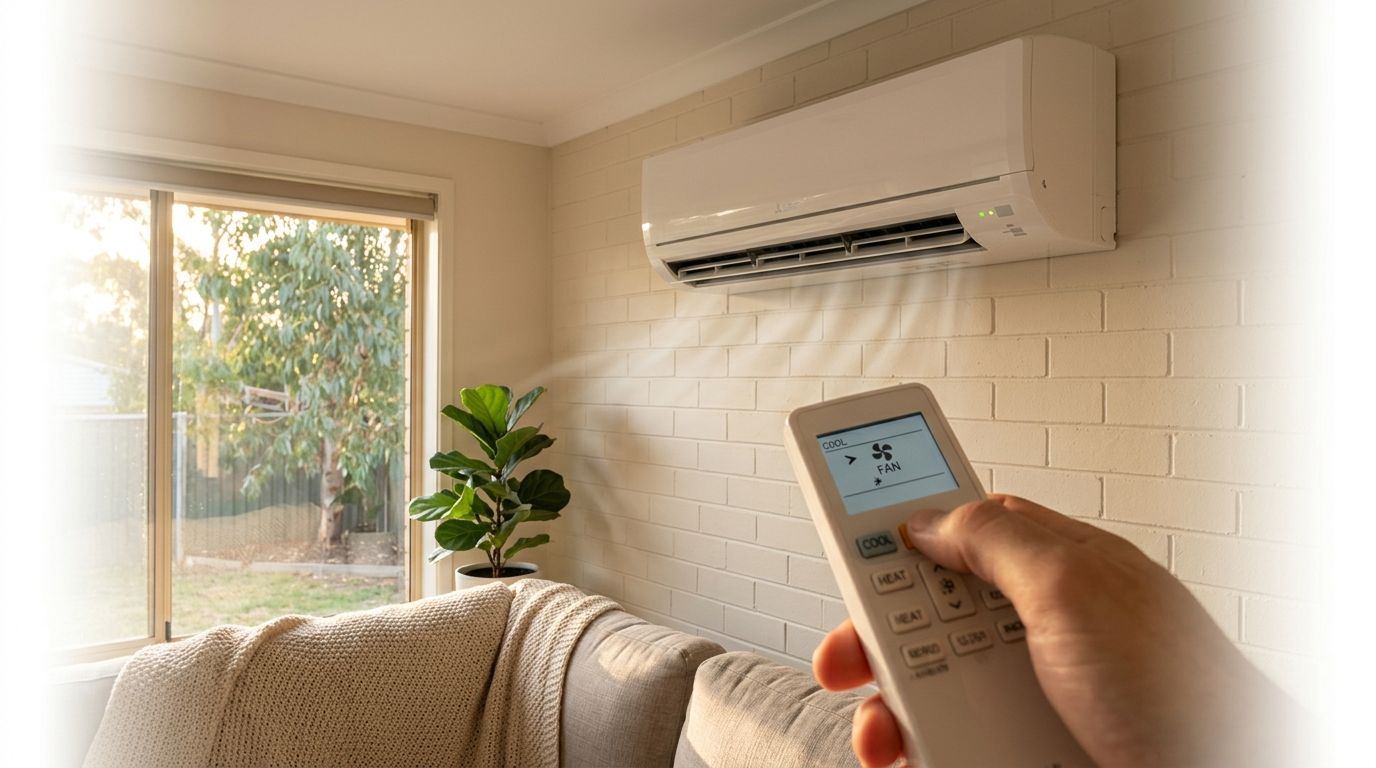
Fan mode is the right choice on mild days and in situations where the room temperature is already comfortable and you simply want air movement. It is not a substitute for active cooling on hot Australian summer days above around 28 degrees Celsius, but in the right conditions it does the job at a fraction of the running cost.
On days above 28 to 30 degrees Celsius, fan mode will not provide meaningful relief. At that point the compressor needs to run, and cool mode is the right call.
Fan mode has real limitations, and using it in the wrong conditions can make your comfort worse rather than better. There are three situations where you are better off choosing a different mode or skipping the aircon altogether.
If your unit is behaving oddly in any mode, producing unusual smells, making strange noises or struggling to maintain airflow, those are signs the system needs attention rather than just a filter clean. A professional air conditioning service can identify the issue before a minor problem turns into a costly repair.
Using fan mode on your aircon remote takes just a few button presses. Press the Mode button to cycle through the available settings until the fan icon appears on the display, then adjust the fan speed to suit the conditions. The exact icon and label varies by brand, so if you are unsure what you are looking at, the aircon remote symbols explained guide covers the specific icons used across all major brands.
Keep in mind that the fan icon and its exact label differ between brands and even between models within the same brand. Daikin, Mitsubishi Electric and Fujitsu units all support fan mode as standard, but the remote layout and symbol style will vary. If you are not certain which icon is which on your specific remote, check the brand-specific guide in our remote symbols article before cycling through modes.
Fan mode is a genuinely useful setting that most people overlook. It costs next to nothing to run, works well on mild days and overnight, and is a smart way to freshen a room without firing up the compressor. That said, it is not a replacement for cool mode on a hot Australian summer day. Once the temperature climbs above 28 to 30 degrees, you need active cooling.
Getting the most from any mode, fan or otherwise, starts with a well-maintained unit. A clean filter, a properly charged refrigerant system and a serviced indoor coil all make a real difference to airflow and efficiency.
Frozone Air installs and services Daikin, Mitsubishi Electric and Fujitsu systems, including the Fujitsu ASTG Series, across Sydney and Melbourne. If your unit is due for a service or you are thinking about a new installation, call us on 1300 801 839 or request a free quote online. Our team can have you booked in at a time that suits you.
Fan mode runs the indoor unit's fan to circulate air around the room without activating the compressor. This means no cooling, heating or dehumidification occurs. The system simply moves the air that is already in the room. Fan mode is best suited to mild conditions where air movement alone is enough to keep you comfortable.
Yes, it is perfectly fine to use fan mode. It is a standard, designed feature of all modern split systems and causes no harm to the unit. The one caveat is to avoid it on very humid days, as it circulates moist air without removing any of it, which can make the room feel sticky and uncomfortable.
Fan mode works well in a few specific situations: mild spring or autumn days when the room temperature is already comfortable, overnight when the outside air has cooled down and you just want gentle airflow, and immediately after switching off cool mode to distribute any remaining cool air through the room before the system shuts down fully.
No, fan mode uses significantly less electricity than cool or heat mode because the compressor is not running. A typical split system fan draws roughly 30 to 50 watts in fan-only mode, compared to 700 to 2,500 watts in cooling mode. This makes fan mode one of the cheapest ways to keep air moving through your home.